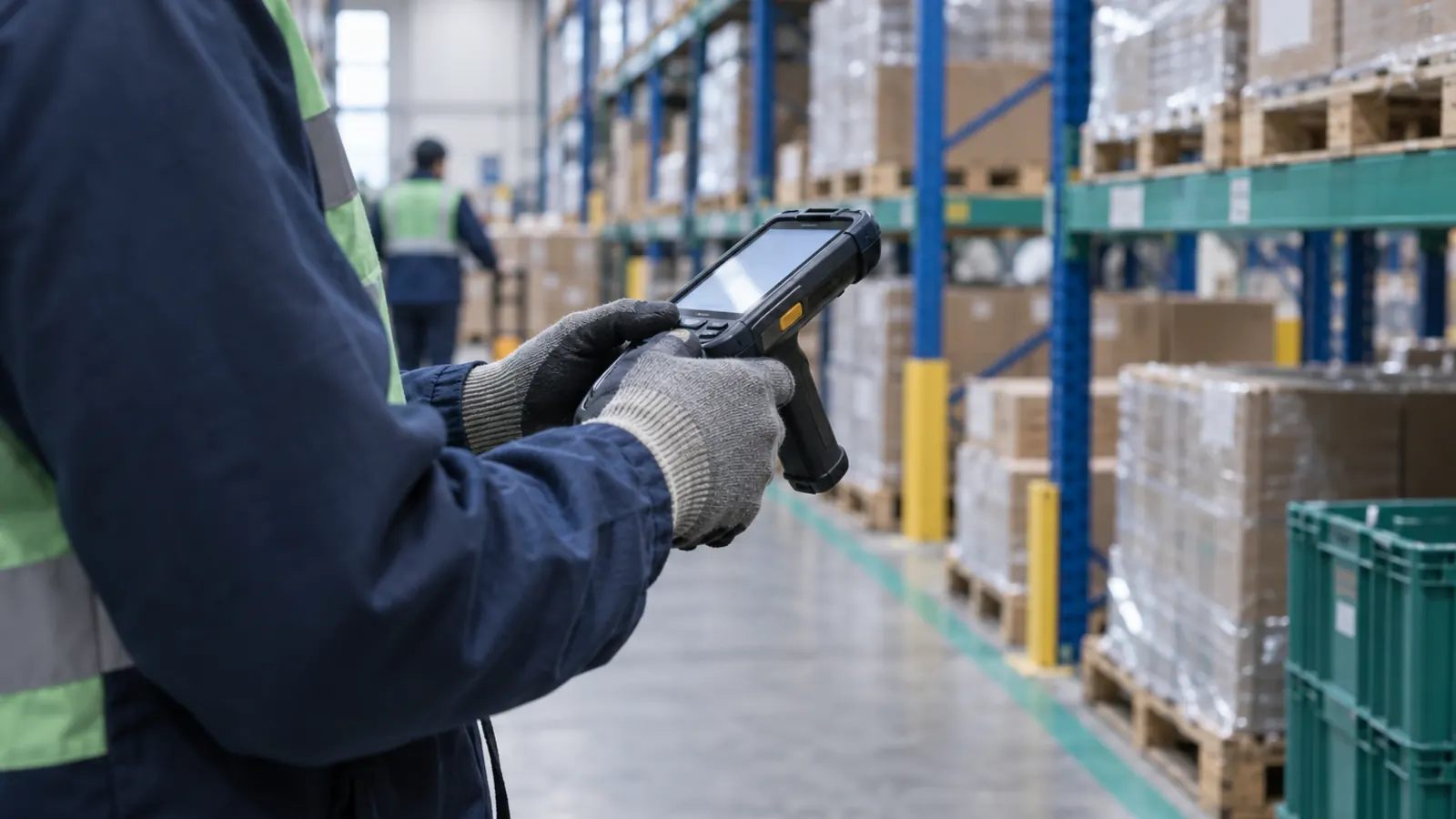
When a warehouse moves off paper or desktop entry, the first major investment is the device each person will carry. Smartphones are attractive because they cost less and staff already know how to use them. In some cases they are the right choice; in others, six months later there are cracked screens, batteries depleted mid-shift and operators entering by hand the codes the camera cannot read.
What sets them apart
| Aspect | Rugged handheld | Consumer smartphone |
|---|---|---|
| Barcode reading | Dedicated scan engine, physical trigger, long-range and damaged-label reading | Camera; slower and sensitive to light and angle |
| Durability | Built for drops on concrete, dust and water, with an IP rating | Needs a case; frequent damage under heavy use |
| Battery | Swappable or higher-capacity battery on many models | Fixed; may not last a full scanning shift |
| Updates | Enterprise makers typically publish longer support | Depends on model and maker |
| Accessories | Pistol grip, multi-slot charging cradle, RFID sled, strap | Limited |
| Glove use | Physical keys and glove-mode screens | Touchscreen limited with gloves |
| Purchase price | Higher | Lower |
Scanning is the main difference
In a picking shift, a person may scan hundreds of locations and products. A dedicated scan engine reads on the first try in most cases, even with wrinkled labels, high rack levels or low light. With a phone camera, each read takes longer, some fail and the person ends up entering the code by hand. Across hundreds of scans per shift, the difference translates into time and errors.
Durability is measurable
The IP rating, defined by IEC 60529, states how well a device resists dust and water. Rugged device makers also publish drop tests from a given height onto concrete. Compare those figures on each model's spec sheet, not in the marketing.
Security updates
A device that stops receiving Android security updates becomes a risk on the company network. Google runs the Android Enterprise Recommended program, which identifies devices that meet update and management requirements for business, including rugged models. Check how many years of updates the maker commits to for the model you plan to purchase.
When a phone is sufficient
- Low volume: a few dozen scans per shift.
- Occasional tasks: stock lookups, occasional counts, small receipts.
- Supervisors and office staff who visit the floor occasionally.
- A pilot or start-up with a limited budget, to validate the process before investing in hardware.
When a handheld is the right choice
- Full-time picking, receiving and put-away.
- Harsh environments: cold rooms, dust, the yard, forklifts.
- Hard-to-read labels: damaged, high up, low contrast or small 2D codes.
- RFID: handheld RFID readers attach to rugged handhelds.
- Long shifts that require swapping batteries without powering off.
How to calculate total cost
Compare over three to four years:
- Purchase of the device and accessories (case, charging cradle, grip).
- Expected repairs and replacements from drops and wear, based on your own experience.
- Spare batteries.
- Scan time: extra seconds per scan times the year's scans times the hourly cost.
- Manual-entry errors when the camera does not read.
With that calculation, handhelds are usually more economical in scan-intensive roles, and phones in occasional ones. If you are equipping a new site in Mexico, also check local availability of the model, spare parts and repair service before standardizing on it.
How many devices to buy
The requirement is not one device per person on the payroll but one per person on the busiest shift, plus spares. A practical rule is to add 10% to 15% backup units to cover repairs, batteries on charge and temporary staff. Buy enough charging cradles that every device ends the shift charging and starts the next one full.
Managing the fleet
Beyond a few devices, a mobile device management (MDM) tool is recommended: it installs the app, applies updates and locks a lost device. Also define who checks each device out and in at the start and end of the shift; a device without an assigned owner goes unused with a depleted battery. Tag each device with a visible number and keep a repair log: after a year, that log shows which models and roles cause the most failures.
How it works with Chainlink
The Chainlink Android app runs on Android 8.0 or later and is available in Spanish and English. On Zebra handhelds it creates its own DataWedge profile and reads with the scanner; on Honeywell it uses the built-in barcode reader; on phones it reads with the camera. The app's settings show which reader is active. Counts work fully offline, and put-aways and moves are stored on the device and sent when the connection returns. In the Professional and Enterprise plans, the Zebra RFD40 RFID sled connected by USB-C to a Zebra TC27 is field-verified for RFID reading with the app. The hardware page separates field-verified from compatible devices. Chainlink does not sell devices; they are purchased from the reseller of your choice.
Frequently asked questions
Can smartphones be used instead of handhelds?
Yes, for low volumes, occasional tasks or a start-up phase. In scan-intensive roles, the speed and reliability of a dedicated scan engine and a handheld's durability usually justify the price.
What IP rating does a warehouse require?
It depends on the environment: dust, moisture, cold rooms or outdoors. Check the IP rating and drop tests on the model's spec sheet and compare them with your real conditions.
Which handhelds work with the Chainlink app?
The app runs on Android 8.0 or later with the scanner on Zebra and Honeywell handhelds and with the camera on phones. The hardware page lists field-verified and compatible devices.
Share this article: LinkedIn