RFID · Professional and Enterprise
RFID inventory
In Chainlink WMS, an RFID inventory is a count by zone that uses the RFID method. Each section is read with an RFID handheld instead of scanning item by item, and closing the count separates found, missing, misplaced and unknown items.
- Available in
- Professional and Enterprise
- Method
- Count by zone with RFID reading
- Verified device
- Zebra TC27 with RFD40 sled
Reviewed October 29, 2026 by the Business in a Wave team
How an RFID inventory works
Each item carries a tag with its EPC, which Chainlink links to a product, lot, serial number, pallet or location.
- Tags are read without line of sight while the operator walks the section with the trigger held
- The same counts module applies: zone, sections and team; only the method changes
Reading devices
-
 Field-verified
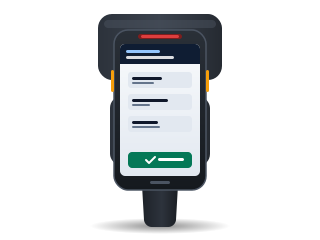
Zebra TC27 with RFD40 sled
The sled connects to the TC27 by USB-C cable or with the TC2x adapter. Verified on September 16, 2026.
View the record -
Compatible
Zebra MC3300R and MC3300xR, RFD40 and RFD90 sleds
The app supports them with the Zebra SDK; BW has not verified them in the field.
Counting a section
While the operator reads, the progress shows expected, found, missing and misplaced items.
-
Claim the section
The app opens a read session.
-
Read
Reading continues while the trigger is held and pauses when it is released.
-
Close the section
Each item read is added to the count.
Count results
Each item falls into one of four results.
- Found
- The expected item was read in its location.
- Misplaced
- The item was read here, but the system recorded it in another location.
- Missing
- An expected item that was not read.
- Unknown
- An unregistered tag; it is reported under RFID discrepancies.
Misplaced items
Adjustments are applied by an Administrative user, as in any count.
- Misplaced items are moved automatically only if your company enables that option
- Otherwise, they remain reported so they can be put away
Prerequisites
- Tagged goods, tagged by the supplier or printed and encoded at receiving
- Suitable tags: metal and liquids require special tags
- A test at your facility before tagging all of the stock
- The RFID inventories module enabled
To estimate the cost of tags and equipment, see the guide how much RFID costs in a warehouse.
Plan comparison
| Feature | Essentials | Professional | Enterprise |
|---|---|---|---|
| Barcode counts | Yes | Yes | Yes |
| RFID with handhelds | No | Yes | Yes |
| RFID inventories | No | Yes | Yes |
| RFID printing and encoding | No | Yes | Yes |
How it is configured
Help center articles with the steps inside Chainlink.
Keep reading
Frequently asked questions
For any other question, contact sales.
Does the RFID inventory replace the barcode count? +
It is one more method of the same counts module. Each count selects its method, and a zone without RFID tags is still counted with barcodes.
Does an RFID handheld require a device license? +
No. Handhelds with an RFID reader do not require a device license; only fixed readers registered as portals use an RFID portal license.
How many tags are read per second? +
The read rate depends on the reader, the tag, the product and how the product is stored. For that reason, a test at your facility with your product is recommended before tagging all of the stock.
Subscribe to Chainlink online
Your instance is created when sign-up is complete, ready to set up your warehouse.
Essentials and Professional are purchased online by card: the first month and the implementation are charged at subscription. 30-day trial by invitation: request it from sales.