Counts
Inventory counts by zone, with or without a signal
Chainlink WMS counts by zone, aisle, level or list of locations, split into sections for a team. Counts on the handheld work without a signal, and closing the count separates matches, overages, shortages and wrong locations.
- Available in
- All plans
- Scope
- Zone, aisle, level or list of locations
- Without a signal
- The count works in full
Reviewed October 29, 2026 by the Business in a Wave team
Creating and assigning a count
The warehouse is counted in parts, so every location is checked several times a year without stopping operations. This method is the cycle count.
-
Select the scope
Zone, aisles, levels or a list of locations.
-
Split into sections
One part of the route per operator.
-
Assign the team
The sections are distributed among operators.
-
Start
Each section appears in the app.
Counting on the handheld
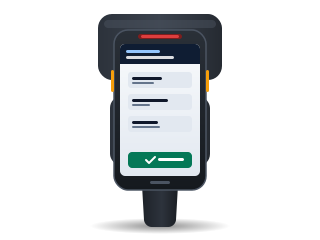
The operator scans each location, then each product with its quantity or serial number.
- The count works fully without a signal and sends the results when the connection returns
- This applies to cold rooms, mezzanines and high racks
Results of a closed count
On closing, only the lines that do not match require review.
- Match
- Equal to the recorded quantity.
- Wrong location
- The item is in a different location.
- Overage
- More than the recorded quantity.
- Shortage
- Less than the recorded quantity.
- Not in system
- The item was not recorded in that location.
Who applies adjustments
Adjustments are applied by a user with an Administrative license. The person who counts does not adjust.
- Each adjustment is posted to the stock ledger with its document
- With a connector, the adjustment is also sent to the ERP
- Every night, Chainlink checks that the stock ledger reconciles with on-hand stock
Counting with RFID
In Professional and Enterprise, each section can be counted with an RFID read session, such as one from the Zebra TC27 with the RFD40 sled, which is field-verified. See RFID inventory.
Plan comparison
| Feature | Essentials | Professional | Enterprise |
|---|---|---|---|
| Counts by zone, aisle, level or list of locations | Yes | Yes | Yes |
| Counting without a signal on the handheld | Yes | Yes | Yes |
| RFID inventories | No | Yes | Yes |
| Inventory accuracy in advanced analytics | No | Yes | Yes |
How it is configured
Help center articles with the steps inside Chainlink.
Keep reading
Frequently asked questions
For any other question, contact sales.
Does the warehouse have to stop for a count? +
No. A count covers only the zone, aisles, levels or list of locations you select, so the rest of the warehouse continues to operate.
What happens if the handheld loses its signal during a count? +
No data is lost. Counts work fully without a signal, and the counted quantities are sent when the connection returns.
Who can apply an adjustment? +
A user with an Administrative license. Operators count; inventory adjustments are applied by a user with that license.
Subscribe to Chainlink online
Your instance is created when sign-up is complete, ready to set up your warehouse.
Essentials and Professional are purchased online by card: the first month and the implementation are charged at subscription. 30-day trial by invitation: request it from sales.