Verified hardware
STid SPECTRE, verified with Chainlink
On September 22, 2026, BW verified an STid SPECTRE fixed UHF reader over the network, with the Lantronix V7.0.0.3 module. Chainlink Wizard set it to autonomous mode and sent its reads, with antenna and signal strength, to an RFID portal.
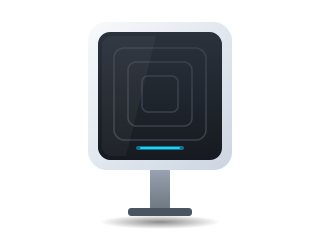
Verification record
STid SPECTRE
- Date
- September 22, 2026
- Firmware
- Lantronix module V7.0.0.3
- Test
- Network reads with the Wizard on real equipment
- Connection
- Network (Lantronix module), with Chainlink Wizard in autonomous mode.
- Available in
- RFID portals in Professional and Enterprise
- Verified on
- September 22, 2026
- Network module
- Lantronix V7.0.0.3
- Band
- 902 to 928 MHz
Reviewed October 29, 2026 by the Business in a Wave team
What was tested
- Discovery of the network module, including with a static IP address from another network
- Autonomous mode configured without the manufacturer’s tools
- End-to-end reads, shown live in the portal
- Reader powered off: the portal showed «Offline» as soon as the reader stopped responding
What Chainlink Wizard does with the SPECTRE
On each connection, the Wizard checks that the reader remains in autonomous mode.
-
Discover
The Lantronix module on the network.
-
Set up
Network settings and autonomous mode.
-
Register
Registration as an RFID portal and forwarding of reads.
Why the Wizard acts as a bridge
The SPECTRE delivers its reads on the local network. Chainlink Wizard sends them to your instance with the portal, antenna and signal strength.
- The computer that runs the Wizard must remain on, with the Wizard installed as a system service
Confirming that the reader is online
The Wizard checks every 15 seconds that the reader responds.
- If the reader does not respond, the portal changes to «Offline» even while the Wizard remains open
- When the reader returns, the Wizard reconnects and sets autonomous mode again
Requirements
- The reader on the network through its Ethernet module
- Chainlink Wizard running as a service on a computer on the same network
- On macOS, the local network permission
- Professional or Enterprise and one RFID portal license
How it is configured
Help center articles with the steps inside Chainlink.
Keep reading
Frequently asked questions
For any other question, contact sales.
Does the SPECTRE send its reads directly to Chainlink? +
No. In autonomous mode, the reader delivers its reads over the network to Chainlink Wizard, which sends them to your instance. For that reason, the Wizard must remain open or be installed as a system service.
Is the USB-C port on the front of the reader used? +
That port emulates a keyboard. Chainlink does not use it: the reader connects by network, through its Ethernet module.
What does it cost to connect it? +
Each fixed reader registered as a portal uses one RFID portal license; the price per plan is on the pricing page. The reader, antennas and installation are purchased from a distributor.
Subscribe to Chainlink online
Your instance is created when sign-up is complete, ready to set up your warehouse.
Essentials and Professional are purchased online by card: the first month and the implementation are charged at subscription. 30-day trial by invitation: request it from sales.